
Last update:
An Industrial Frontier Mining RPG – From Claim to Empire
Overview
GoldClaim: Starfall Nuggets is a 1st- and 3rd person industrial frontier mining RPG that blends geology-driven resource gathering, economic systems, and frontier town expansion into a single event-driven evolving world.
This page documents the introduction and ongoing development of the game. “Forge your legacy in Valaenia” is the guiding principle – a journey from hand panning and makeshift sluices to large-scale multi-claim operations in a lore-driven RPG in the lands of Valaenia – your own frontier legacy.
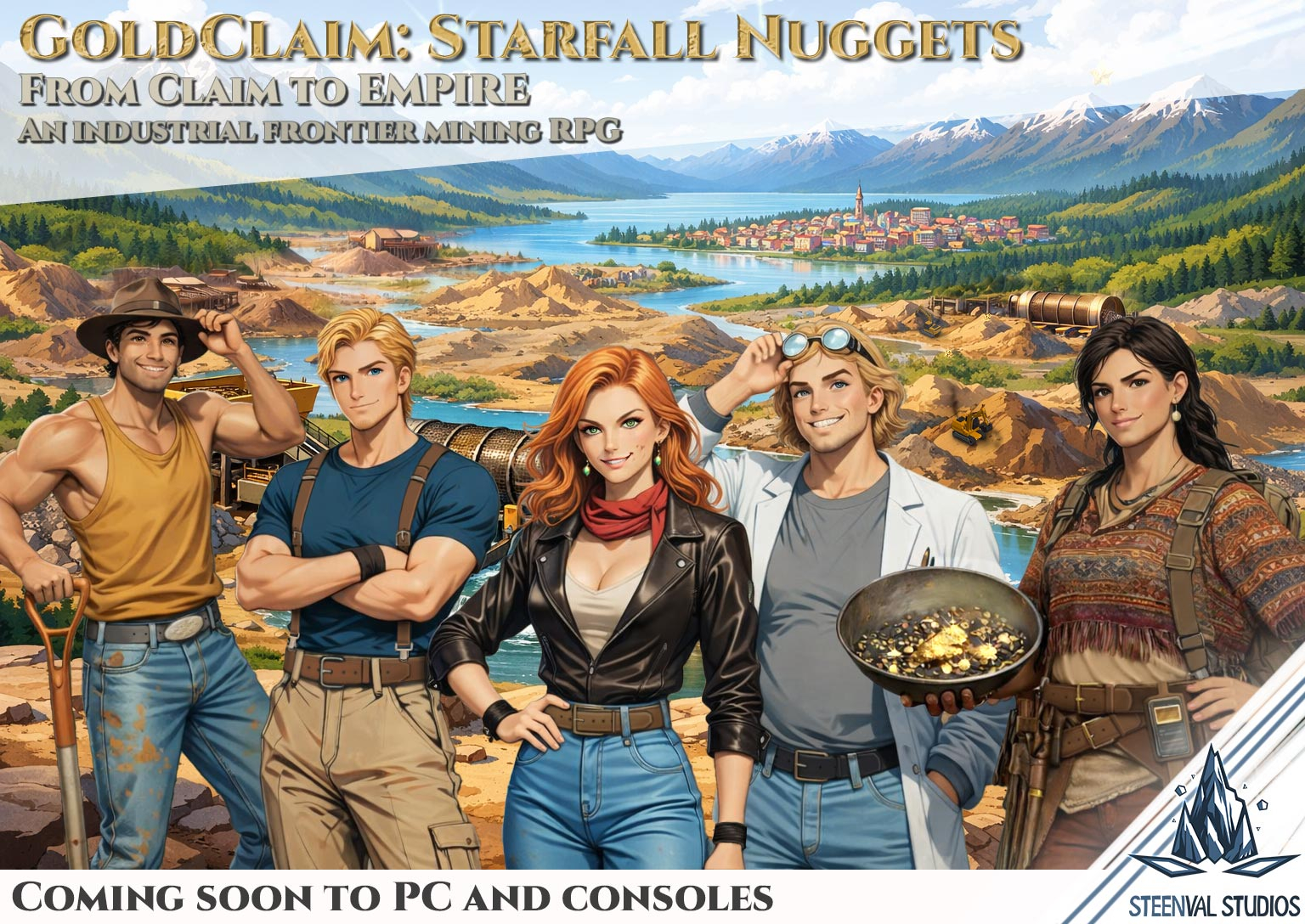
Game Introduction
First of all, thank you for visiting the landing page of GoldClaim – a frontier mining RPG game. This game is designed to combine the best of three worlds: RPG with a rich story, deep mining mechanics and extensive economics simulation. GoldClaim is all about giving narrative stories, quests and puzzles, layered within an event-driven world featuring various gameplay mechanics and social power struggles.
Click the button below to read the formal introduction of GoldClaim: Starfall Nuggets
Development showcase
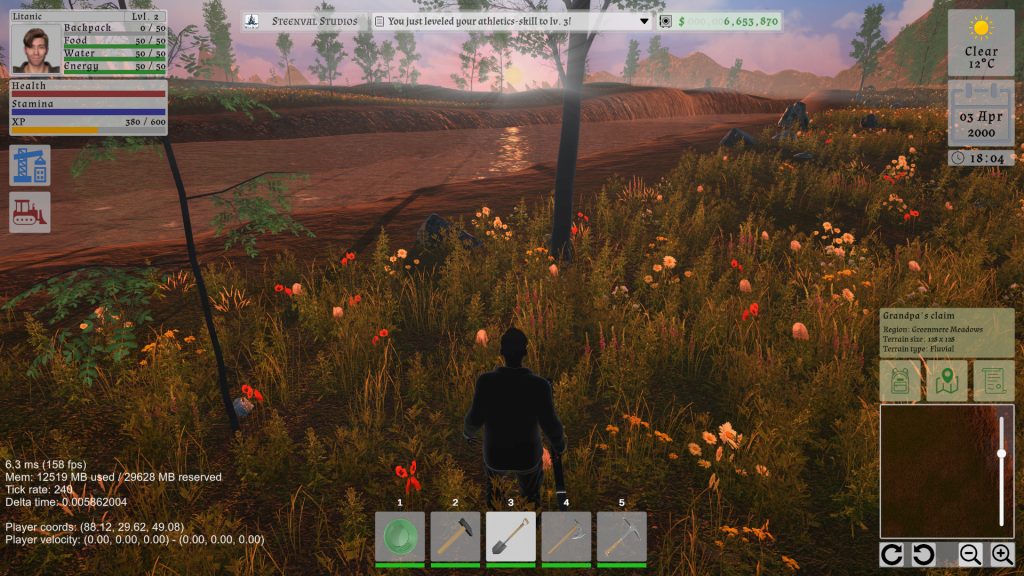
Curious about how GoldClaim: Starfall Nuggets is being built? Our Development Showcase provides a behind-the-scenes look at the project’s progress, featuring gameplay systems, technical breakdowns, artwork, production pipelines and ongoing development milestones.
Whether you’re interested in the technology powering the game or simply want to follow its evolution, the showcase offers an in-depth look at the journey from concept to release.
Click the button below to read the latest developments of GoldClaim
The Lands of Valaenia
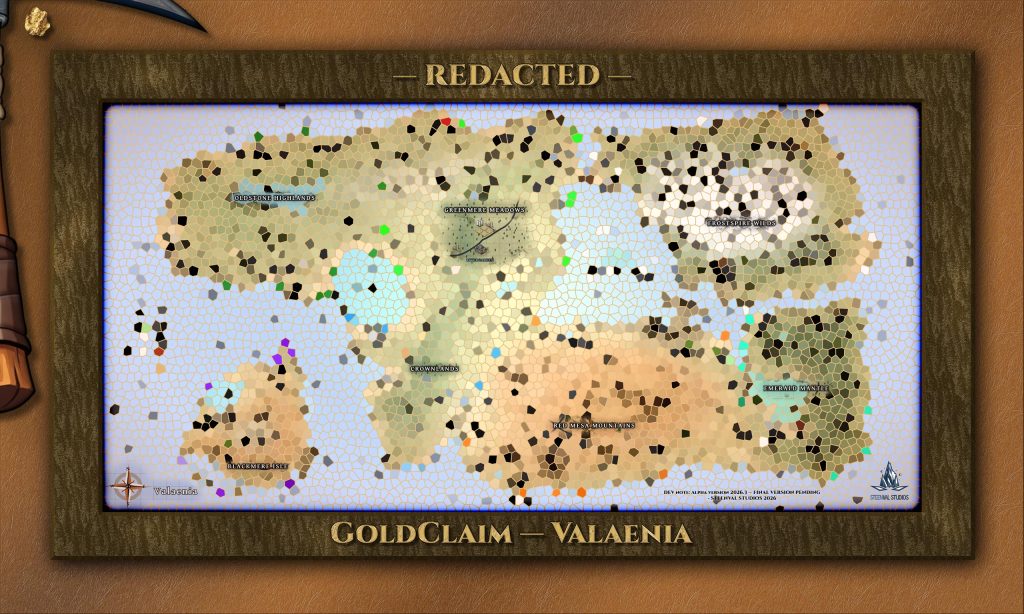
The world of GoldClaim unfolds across Valaenia, a vast country spanning 2048 km² of lands and sea. The landscape is divided into seven distinct regions and connected by more than 300 kilometers of roads, linking towns, cities, and remote settlements throughout the country.
A dedicated page explores Valaenia in detail, presenting its regions, settlements, and a fully illustrated map of the land. For those who wish to avoid potential spoilers, the page initially displays redacted versions of the map and the starting area, with clear warnings before additional details are revealed.
Click the button below to read all about the lands of Valaenia
First Milestone: Resource Generator (core system reveal)

The resource generator is part of the claim engine, and one of the main pillars which defines GoldClaim. It’s capable of generating the actual resources like gold nuggets and silver nuggets which can be found in Valaenia, and also any other metals or minerals.
This page reveals what lies in the core of the system and it can already showcase visuals on the game’s progress.
Click the button below to read all about the Resource Generator
Platform Support
GoldClaim is a game which is intended for both desktop play and handheld gaming consoles, ranging from low- to high-end. There are exciting new devices being made available to the market, and they have not gone unnoticed.
Basically any device with 8GB+ of system memory capable of running Windows 10+, SteamOS or Android will be supported.
The following platforms will be supported on launch:
- Windows desktop (Windows 10 or higher)
- Linux desktop (Ubuntu 20.04+ / SteamOS or equivalent)
- Steam Deck (full-range)
- Steam Machine (full-range)
- Android (current and possibly older versions)
The following gaming hardware is currently being used for development and testing:
- Gaming desktop (Windows 11)
- Steam Deck (Proton + Linux native)
- Steam Controller Gen 2 (trackpad enabled)
- AYN Odin 3 (Android gaming handheld)
The following platforms are explored post-launch:
- Ninentdo Switch Platform (planned evaluation)
- Microsoft Xbox Wire
Windows desktop and Linux desktop
The PC is the primary development platform next to the Steam Deck and Android gaming handhelds. The game will be made available through Steam and the Google Playstore. As it stands now, it’s looking not just promising, but far beyond expectations as the performance with the HLSL shaders enabled still allows the Steam Deck and AYN Odin 3 to run at their max screen refreshrate without framedrops, while we’re still developing in the pre-alpha.
The most demanding scenes have been tested, and it’s just amazing how well the engine is already optimized. It really paid off to spend literally half a year on just designing the game — not writing a single line of code, just diagrams of the architecture and custom layers for the engine to handle the hot-paths.
As Windows, Linux (native + Proton), SteamOS and Android are now genuinly supported and the engine has been designed from the ground up with a decoupled modular approach, cross-platform multiplayer support has become a real thing. After the MVP launch, this will be quickly picked up if marketing traction allows.
Steam Deck and Android Gaming Handhelds
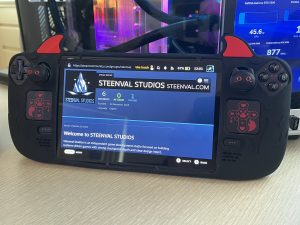
Steam Decks and Android Gaming Handhelds are owned by studio and actively being developed on — the game will natively support it and gaming experience will be maximized on these devices. This includes touchscreen, tactile feedback, rumble and even trackpad support.
The goal is smooth gameplay, maximum battery life and cross-platform capability from the start — maintaining the same look and feel compared to other systems and interconnect with other platforms in multiplayer. Multiplayer support is actively being integrated in co-op form, but will likely be supported after the MVP-release. In other words, the release for multiplayer-support is planned, but the first version in the stores will likely be singleplayer-only.
Note: Not all platform licenses or store pages have been established yet, meaning it’s not allowed for us to use logos or pictures from those we’re not yet affiliated with.
Other platforms
Post-launch more platforms like the Nintendo Switch and next-gen Xbox platforms are seriously considered. H/W budget allocation has already been solved for these platforms, but there are challenges to overcome and priorities to consider after launch.
A Nintendo Switch 2 release is under active consideration and awaiting approval. If green-lit, the Nintendo release will take place after the the desktop + Steam Deck and Android release, but if possible, it will actively be co-developed while the engine continues to mature.
Performance
Steam Deck performance
As it stands, the Steam deck has a stable 90 fps across the board of tests, and uncapped can reach up to 180 fps (don’t do this, it makes no sense). The Steam Deck runs exceptionally smooth, has integrated trackpads, haptics and is just a joy to play with.
Playtime with the 50 Wh battery of the Steam Deck has been measured at 3:30 hours of gameplay at 90 fps with 80% brightness, on the game’s battery-saving mode up to 4:30 hours on 50 fps and up to 5:30 hours at 30 fps. Take note it does not control the screen brightness, and a sensible figure has been used for daily use. Turning the brightness down had little impact, but turning it to max became notable.
AYN Odin 3 8GB performance
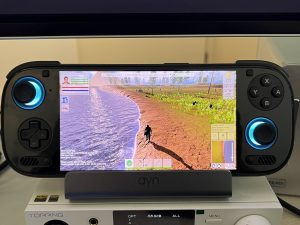
The Odin 3 of AYN server as the reference platform for GoldClaim. It’s truly is a powerful, amazing Android gaming handheld with a very precise, 120hz crystal-clear touchscreen. GoldClaim runs amazing on this device with a stable 120 fps across the board of tests, although we couldn’t test the uncapped framerate unfortunately. It’s so powerful that we’re considering to allow full mip-map quality, which translates to crispy textures in case you want to hook it to a 4K monitor or television.
Playtime with the 31 Wh battery of the Odin 3 is where it gets a little speculative, as there’s no off-the-shelve integration for proper battery measurement. We simply played the game on maximum performance at 120 fps with 80% brightness again, high-performance mode and OLED Ultra Black Mode enabled.We even had the lit-joysticks enabled. The battery was fully charged and we played for 30 minutes at these settings, walking/swimming around a claim and mining. The result was astonishing: a mere 10% battery drop. The first few % tend to fluctuate, but let’s even ignore that to keep it pessimistic. This translates to roughly 5 hours at 120 fps, or an estimated 7 hours at 60 fps. Take note we’re establishing a baseline, and your experience might differ based on your settings.
Hardware requirements
For PCs, the requirements are as followed:
PC: Minimum specs (Full HD-gaming + 1K texture packs)
- CPU: Ryzen 3 1200 / Intel i5-6500
- RAM: 8 GB
- Storage: 10 GB free
- Graphics: GTX 1050 / RX 560 / integrated graphics (Steam Deck compatible)
- OS: Windows 10 / Windows 11 / Ubuntu 20.04+ or equivalent
- Sound card: DirectX compatible / ALSA / PulseAudio compatible sound device
PC: Recommended specs (Full HD-gaming + 2K texture packs)
- CPU: Ryzen 5 3600 / i5-9600k
- RAM: 16 GB
- Storage: 20 GB free
- Graphics: GTX 1070 / RX 590
- OS: Windows 10 / Windows 11 / Ubuntu 20.04+ or equivalent
- Sound card: DirectX compatible / ALSA / PulseAudio compatible sound device
PC: Optimal specs (4K-gaming + 4K-texture packs)
- CPU: Ryzen 7 5700X / i5-12600K
- RAM: 32 GB
- Storage: 40 GB free
- Graphics: RTX 2070 / RX 6600
- OS: Windows 10 / Windows 11 / Ubuntu 20.04+ or equivalent
- Sound card: DirectX compatible / ALSA / PulseAudio compatible sound device
Note: The 2K and 4K texture pack will either be a free downloadable addon in the Steam store, or included in the release depending on total payload size. On the Steam Deck, it’s recommended to stay with the 1K texture pack for better battery-performance, but the 2K texture pack will be an option. The 4K texture pack is recommended for optimal-specced h/w or higher, and not recommended for the Steam Deck.
For Gaming Handhelds, the following requirements apply:
Android: Recommended specs
- SoC: Snapdragon 8 Gen 2+
- RAM: 8GB
- Storage: 10GB free
- OS: Android 13 or newer
- Graphics API: Vulkan 1.1+
- Controls: Controller
Steam Deck: All are supported
Screen support
The vast majority of screen sizes is already supported. For handheld devices in 16:9 or 16:10 formats landscape orientation is forced, but auto-rotate is enabled by default depending on how you hold it, and obviously you can lock rotation on h/w level to the desired rotation.
Basically these formats are supported in their default landscape-orientation:
- Full HD support (16:9 and 16:10)
- Ultra wide support (21:9)
- Super ultra wide support (32:9 and 32:10)
Recommended screens
Anything from 16:9 or wider in aspect ratio and at least 6″ large will work just fine.
That’s right, just 6″ is enough thanks to vigorous screen optimization and tuning. This is all thanks to the AYN Odin 3, which has a 6″ 1920×1080 display. We’ve made sure the text is readable and the right orientation is enabled from the beginning (upside-down is fine too for Android phone controller users).
Full supported & tested & approved list
| Widescreen 16:9 | Widescreen 16:10 | Ultra-wide 21:9 | Super ultra-wide 32:9 | Super ultra-wide 32:10 |
| 1280×720 | 1280×800 | 2560×1080 | 3840×1080 | 3840×1200 |
| 1366×768 | 1440×900 | 3440×1440 | 5120×1440 | 5120×1600 |
| 1600×900 | 1680×1050 | 3840×1600 | 7680×2160 | 7680×2400 |
| 1920×1080 | 1920×1200 | 5120×2160 | ||
| 2560×1440 | 2560×1600 | |||
| 3840×2160 | 2880×1800 | |||
| 5120×2880 | 3840×2400 | |||
| 7680×4320 | ||||
Following developments about GoldClaim
If this has piqued your interest, you can consider subscribing and pick the topics you want to follow by entering your preferred email address below.
Participating in alpha and beta pilots can be achieved by subscribing to the Game Pilots-topic.
Be sure to provide feedback if you like to know more about a certain post or topic.